
Manage billing and payments
Get help with common billing and payment questions, like how to make a payment and how to update your payment details.
Making a payment
Eligibility
Home, auto, farm and business insurance clients can make a payment using Online Services.
Web browser
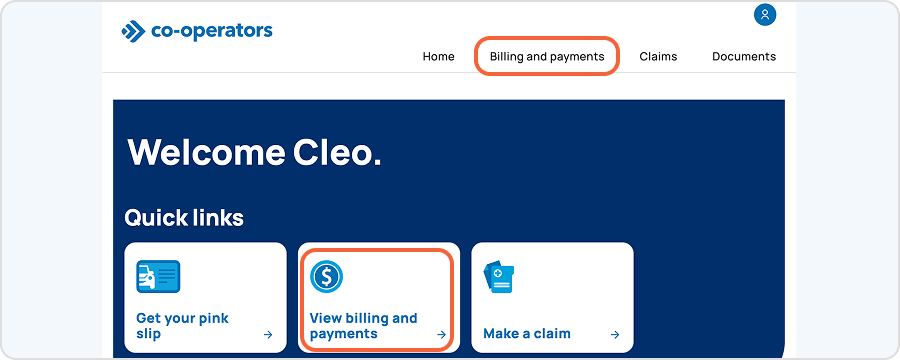
2. Select billing and payments from the homepage.
.png)
3. Select Pay for this policy. To pay for all policies on your account at once, select Pay total balance.
Don’t see your policy?
You’ll only see billing information for policies on which you’re listed as the primary policy account holder and payor. If you’re not listed as the primary, you can make a payment by selecting Pay for an unlisted policy.
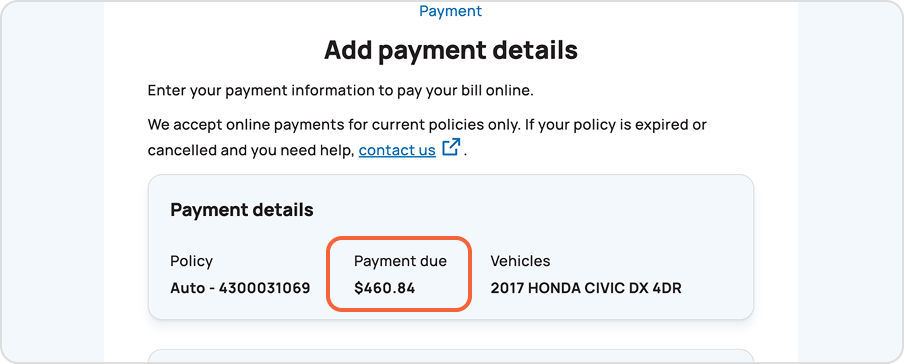
4. The amount you owe will be auto filled. Enter your payment card information.
Note: You will receive a confirmation email after paying online. Your updated balance will show in your billing and payments dashboard the next day.
Updating your credit card, banking information and payment method
Web browser
1. Sign in to Online Services.
2. Select billing and payments from the homepage.
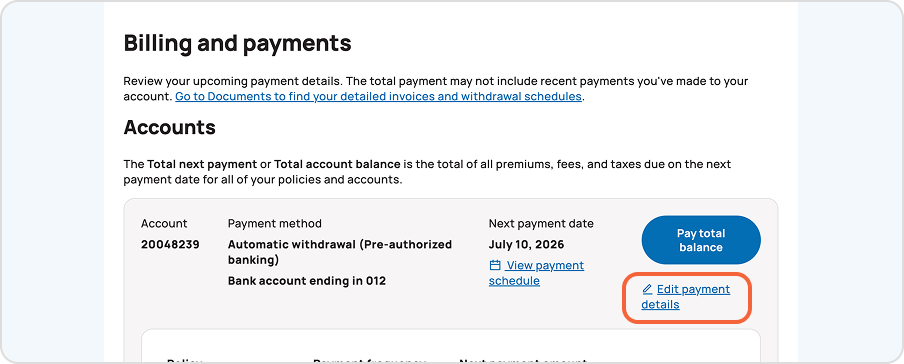
3. Select Edit payment details.
4. Choose Payment method.
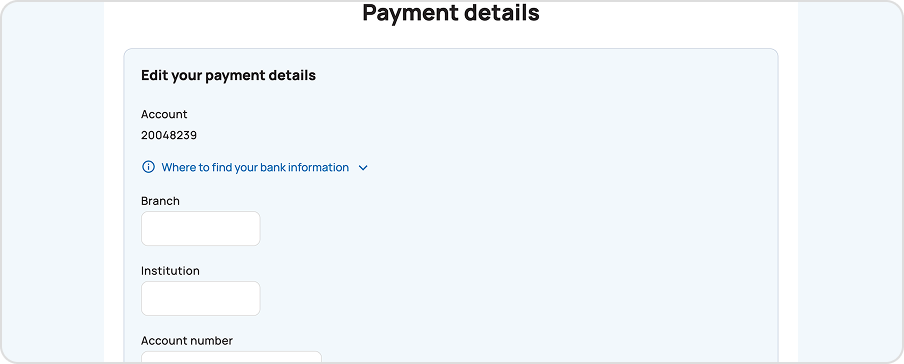
5. Choose the payment information you’d like to update and edit your details.
6. Review and confirm your changes. We’ll email you a confirmation.
Changing your auto withdrawal payment date
Web browser
1. Sign in to Online Services.
2. Select billing and payments from the homepage.
3. Select Edit payment details.
4. Choose Payment date.
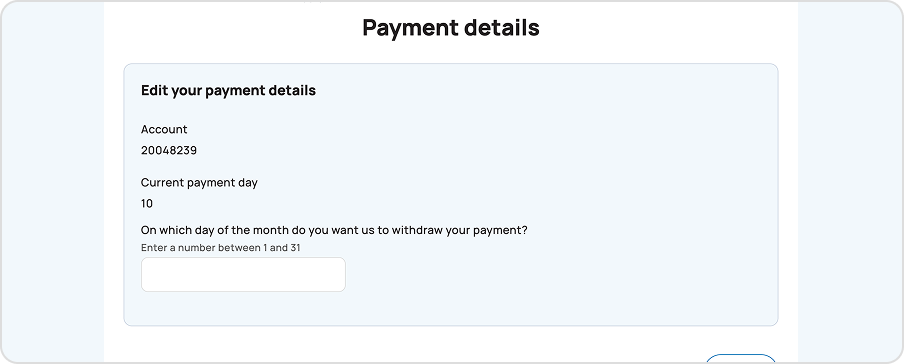
5. Enter the new day of the month on which payments should be withdrawn.
6. Review and confirm your updated payment schedule.
Viewing your payment schedule
Web browser
1. Sign in to Online Services.
2. Select billing and payments from the homepage.
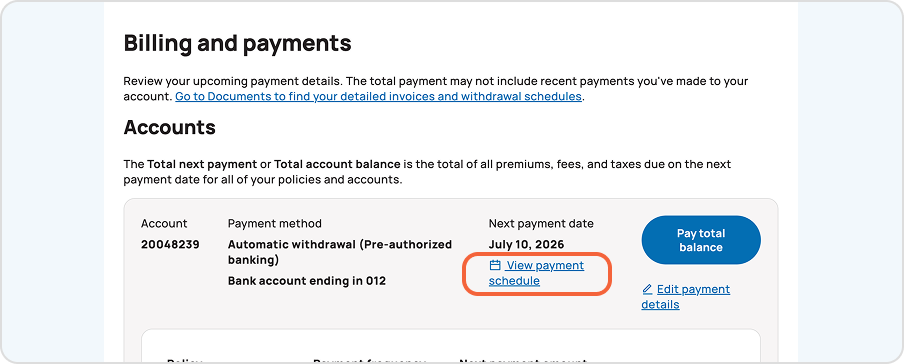
3. Select View payment schedule. You can review your next payment date, your total next payment amount and your payment method details.
Reach out for support
Still have questions? We’re happy to help.
Call 1-855-446-2667
Monday to Friday, 9 a.m. to 5 p.m. ET.